
Emulator for TI-59 Calculator for PC
Emulator for the TI-59, TI-58C Calculator and the unreleased TI-59C.Updated October 16, 2023
Emulator for TI-59 Calculator PC Details
| Category | Productivity |
| Author | Pascal Obry |
| Version | 10.1 |
| Installations | 105189 |
| Size | 10.3 MB |
| What's New | v10.0, 2026 February 1st: Calc status in topbar (Angle/2nd/Inv) Large UI revamp. New print view (unlimited)v9.5, 2025 January 17th: Sort programs alphabetically. Allows for 1500 steps in bank 0.v9.4, 2024 September 1st: Add MIN/MAX extension on INV -v9.3, 2024 May 5rd: Fix decimal display precision.v9.2, 2024 May 3rd: Fix display in Fix modev9.1, 2024 April 27th: Fix calc save/restore state Fix display in Fix + Eng mode |
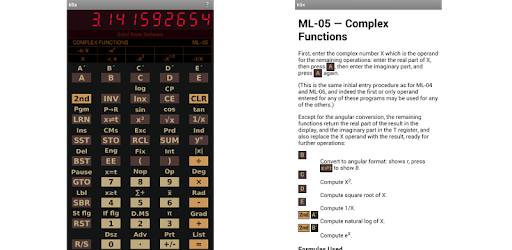
Emulator for TI-59 Calculator: Bringing Back the Nostalgia of High School and College Days
Remember the good old days when calculators were a novelty and owning one made you feel like a tech-savvy genius? The Emulator for TI-59 Calculator app takes you on a trip down memory lane, bringing back the nostalgia of high school and college days. Whether you're a former TI-59 user or new to TI calculators, this app is sure to impress you with its accuracy and attention to detail.
One of the standout features of this app is the ability to turn off the noises, allowing you to focus on your calculations without any distractions. It's the little things like this that make the Emulator for TI-59 Calculator a truly enjoyable experience. It's like having a piece of history in the palm of your hand.
For those who used the TI-59 Calculator back in the day, this app is a great reminder of the impact it had on their lives. Many users fondly recall their first encounter with the TI-59, which sparked their passion for software engineering and set them on the path to successful careers. Even if you can't quite remember how to program it, the app serves as a reliable calculator that surpasses the functionality of your "real" one.
Enthusiasts have put in great work to maintain and improve this app, ensuring that it remains a faithful representation of the original TI-59 Calculator. However, like any emulator or calculator, it's important to be aware of its limitations. One user points out a specific algebraic entry that the emulator struggles with, highlighting the need to check calculators and emulators for fidelity. Understanding the capabilities and limitations of the app will help you make the most of it.
Despite the passage of time and the availability of more sophisticated calculators, many users find themselves drawn back to the Emulator for TI-59 Calculator. It's a testament to the impact this calculator had on their lives and the comfort it brings to have a piece of history readily accessible on their phones. Whether you're a seasoned user or new to TI calculators, this app is sure to impress you with its accuracy and attention to detail.
FAQs
1. Is there a way to get an indicator on the screen when the 2ND key is pressed?
Unfortunately, the current version of the app does not provide an indicator on the screen when the 2ND key is pressed. However, the app's user-friendly interface makes it easy to navigate and access the features you need.
2. Is there a plan to load programs from a downloaded file?
At the moment, the app does not support loading programs from downloaded files. However, the developers are constantly working on improving the app and adding new features, so it's possible that this functionality may be included in future updates.
3. Can I save custom labels (A to E' keys) along with programs?
Currently, the app does not have the capability to save custom labels along with programs. However, the developers are always open to feedback and suggestions, so it's worth reaching out to them and expressing your interest in this feature.
Overall, the Emulator for TI-59 Calculator app is a must-have for anyone looking to relive the nostalgia of high school and college days. Its accuracy, attention to detail, and user-friendly interface make it a standout choice among calculator apps. So why not take a trip down memory lane and experience the joy of using the TI-59 Calculator once again? Download the app today and let the nostalgia wash over you!
How to Install Emulator for TI-59 Calculator on PC
Below instructions allows you to download and install Emulator for TI-59 Calculator app on Windows or MAC computer using an Android emulator. The process involves:
Download APK:Downloading the Emulator for TI-59 Calculator APK file by choosing a version.
Install Android Emulator:There are a number of Android emulators the internet. Choose a emulator that works better with your PC. Now, download and install the Android emulator software.
Run the Emulator:Open the emulator you have just installed and configure the settings such as display, keywords, mouse etc.
Install Gene:Open the downloaded Emulator for TI-59 Calculator APK file using the emulator, which will install Emulator for TI-59 Calculator on Windows or MAC.